Sitting vs standing: how to actually alternate
The healthiest posture is the next one. Sitting all day is hard on your back; standing all day is hard on your legs. The win is switching between them.
At a glance
| Product | Best for | Price | Warranty |
|---|---|---|---|
| Rise Standing Desk Converter | Sit-stand, two-tier | € 189.95 | 2 years |
| Apex Electric Standing Desk | Dual-motor, memory presets | € 399.95 | 2 years |
| Terra Anti-Fatigue Mat | Cushioned, bevelled edge | € 54.95 | 2 years |
| Base Footrest | Tilting, non-slip top | € 34.95 | 2 years |
Why alternating beats either extreme
Long static standing tires legs and lower backs just like sitting does. Changing position keeps things moving.
Turn your existing desk sit-stand
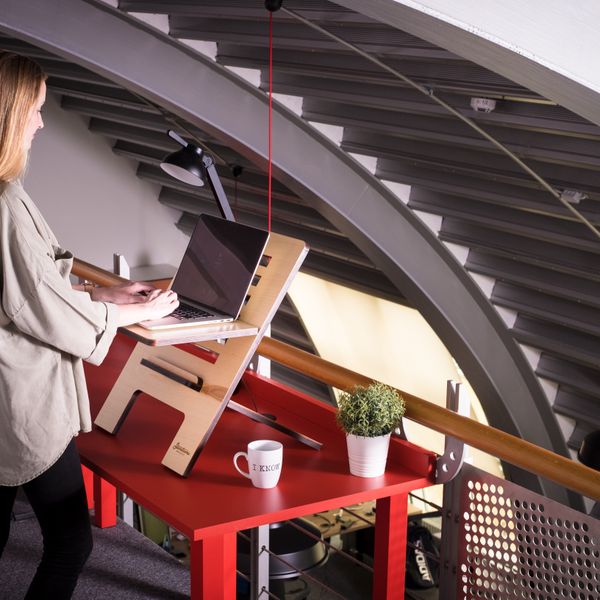
A converter lifts your monitor and keyboard together in seconds — no new desk.
Sit-stand desks
Rise Standing Desk Converter
Sit-stand, two-tier
€ 189.95
Sale
Sit-stand desks
Apex Electric Standing Desk
Dual-motor, memory presets
€ 399.95 € 449.95
Make standing comfortable
An anti-fatigue mat takes the edge off hard floors; a footrest gives you a spot to shift weight.
Support & mats
Terra Anti-Fatigue Mat
Cushioned, bevelled edge
€ 54.95

Support & mats
Base Footrest
Tilting, non-slip top
€ 34.95
FAQ
How long should I stand for?
There's no magic number — change often. Many find switching every 30–60 minutes comfortable. Listen to your body.
Do I still need a good chair if I stand?
Yes — you'll still sit for much of the day, so chair and lumbar support matter just as much.
General guidance, not medical advice. Persistent or sharp pain is worth discussing with a doctor or physiotherapist.