A 20-minute posture reset routine for desk workers
You cannot sit your way to good posture, but you can reset it. Here is a repeatable 20-minute routine that undoes the worst of a sedentary day and leaves your setup better than it found it.
At a glance
| Product | Best for | Price | Warranty |
|---|---|---|---|
| Terra Anti-Fatigue Mat | Cushioned, bevelled edge | € 54.95 | 2 years |
| Arc Single Monitor Arm | Gas-spring, full motion | € 79.95 | 2 years |
| Zenith Monitor Riser | Bamboo shelf, cable slot | € 59.95 | 2 years |
| ErgoPro Mesh Office Chair | Breathable mesh, full adjust | € 249.95 | 2 years |
| Lumbar Back Support | Memory foam, straps | € 44.95 | 2 years |
| Base Footrest | Tilting, non-slip top | € 34.95 | 2 years |
| Rise Standing Desk Converter | Sit-stand, two-tier | € 189.95 | 2 years |
Why a reset beats chasing perfect posture
There is no single correct posture to hold for eight hours, and trying to hold one is part of the problem. Tissues load up wherever you stay still, so the position that feels supportive at 9am becomes an ache by mid-afternoon. The research consensus for the last decade has been blunt about this: the best posture is your next one. Movement, not rigidity, is what keeps a spine and its surrounding muscles comfortable. That is why this is a reset routine rather than a posture-fixing programme. The goal is not to correct some permanent flaw. It is to periodically undo the specific pattern that long sitting drives you into: a rounded upper back, a forward-poking head, tight hip flexors from being folded at 90 degrees, and switched-off glutes and deep neck muscles. Twenty minutes, once a day, walks each of those back toward neutral. Do it at lunch, between meetings, or as the bridge between finishing work and the rest of your evening. One honest caveat before you start: this is general movement guidance, not medical advice. If you have sharp, radiating, or persistent pain, or numbness and tingling, see a physiotherapist or doctor before working through it. Stretches should feel like a firm pull, never a sharp or nervy pain.
Minutes 0-4: stand up and unfold
Start by simply standing and walking for two full minutes. This is not filler. Prolonged sitting slows circulation in the legs and keeps the hip flexors shortened; a short walk pumps blood back and begins lengthening those hips before you stretch them. Get a glass of water while you are up. Then spend two minutes reversing the seated slump directly. Stand tall, interlace your fingers, turn the palms to the ceiling and reach up, letting your ribs lift and your upper back extend for three slow breaths. Follow with 10 slow shoulder rolls backward, then a standing chest opener: hands clasped behind your back, gently drawing the shoulder blades together and down for 20 seconds. You are opening everything that sitting closes: the front of the chest, the shoulders, and the thoracic spine that spends all day curled over a keyboard.
Minutes 4-11: mobility for neck, back and hips
Work top to bottom, roughly a minute each. Neck: chin tucks, drawing the head straight back to make a gentle double chin, 10 slow reps. This re-engages the deep neck flexors that give out under a forward head position and is one of the most useful moves a screen worker can own. Follow with a slow ear-to-shoulder side stretch, 20 seconds each side, no forcing. Upper back: stand or sit and rotate your torso to look over each shoulder, 8 reps per side, exhaling into the turn. Then a cat-cow on the floor or against a wall to mobilise the whole spine, 8 slow cycles. Hips are the big one for desk workers, because eight hours folded at the waist shortens the hip flexors and tugs the pelvis out of neutral. Drop into a half-kneeling lunge, back knee down, and ease the hips forward until you feel a stretch across the front of the back thigh; hold 30 seconds each side. Finish with a standing figure-four or seated glute stretch, 30 seconds a side, for the muscles you have been sitting on all day. If you do the floor work often, a cushioned surface makes a real difference to whether you actually bother. An anti-fatigue mat doubles neatly as knee padding for the kneeling stretches, and it is the same mat that pays off later when you switch to standing.
Minutes 11-15: wake up the muscles sitting switches off
Mobility opens things up; a few strength reps switch the right muscles back on so better posture holds without you thinking about it. Keep it brief and unglamorous. Glute bridges: on your back, feet flat, drive the hips up by squeezing the glutes, pause at the top, 12 reps. This directly counters the 'sleepy glutes' that long sitting produces and takes load off the lower back. Wall angels: stand with your back and the backs of your arms against a wall, then slide the arms up and down like a snow angel while keeping contact. Even 8 slow reps expose how stiff a rounded upper back has become and train the muscles that pull the shoulders back. Add band or towel pull-aparts, 15 reps, for the mid-back. None of this needs to leave you sweaty. It is a nudge, not a workout, and four minutes is plenty.
Minutes 15-20: reset the setup, not just the body
You are already up, so fix the things that pulled you out of neutral in the first place. Screen height is the usual culprit behind a forward head and sore neck: the top of the monitor should sit at or just below eye level, about an arm's length away, so you look slightly down rather than craning. A monitor arm makes this a five-second adjustment you can dial in exactly, and it clears the desk underneath; a solid riser does the fixed-height version well if you prefer. Next, the chair. Set the seat height so your thighs are roughly parallel to the floor and your feet rest flat, then set the backrest so it actually supports the inward curve of your lower back rather than letting you slide into a C-shape. A fully adjustable chair earns its keep here because the reset only sticks if the chair holds the position. If your current chair lacks lower-back support, a firm lumbar cushion is a cheap way to add it; if the seat leaves your feet dangling, a tilting footrest restores that flat-foot, thighs-level base. Last, plan your next hour to include movement so the reset lasts. The single most effective habit is alternating sitting and standing rather than picking one. A sit-stand desk or a converter that lifts your existing setup lets you take the first work block after this routine on your feet, standing on that same anti-fatigue mat, and change position again before you stiffen up.

Arc Single Monitor Arm
Gas-spring, full motion

Zenith Monitor Riser
Bamboo shelf, cable slot
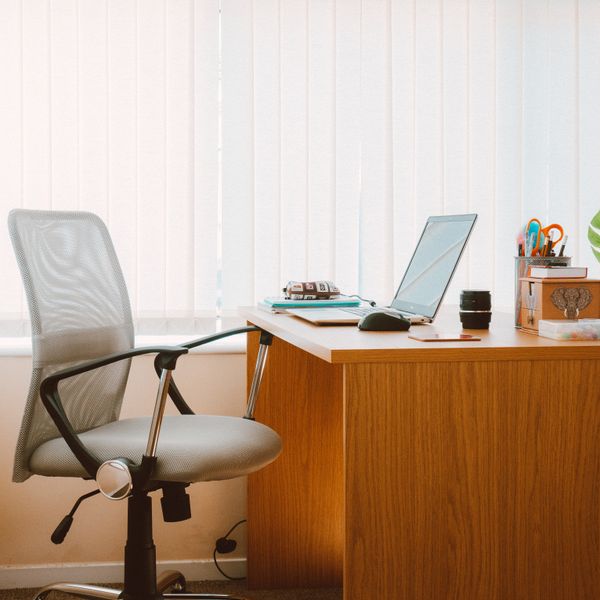
ErgoPro Mesh Office Chair
Breathable mesh, full adjust
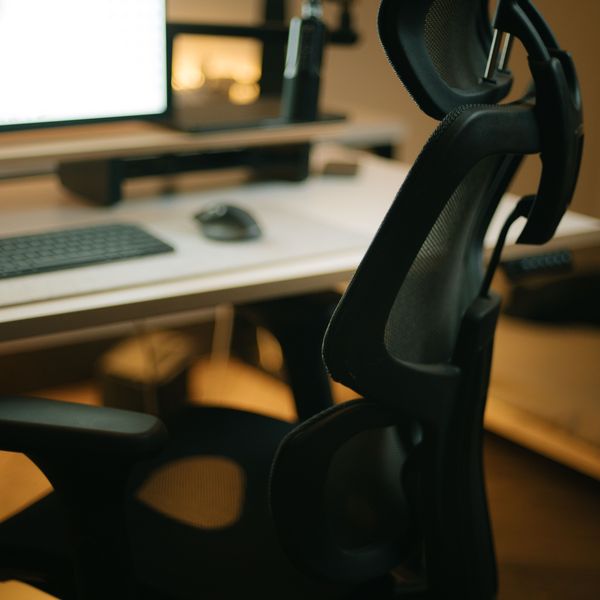
Lumbar Back Support
Memory foam, straps

Base Footrest
Tilting, non-slip top
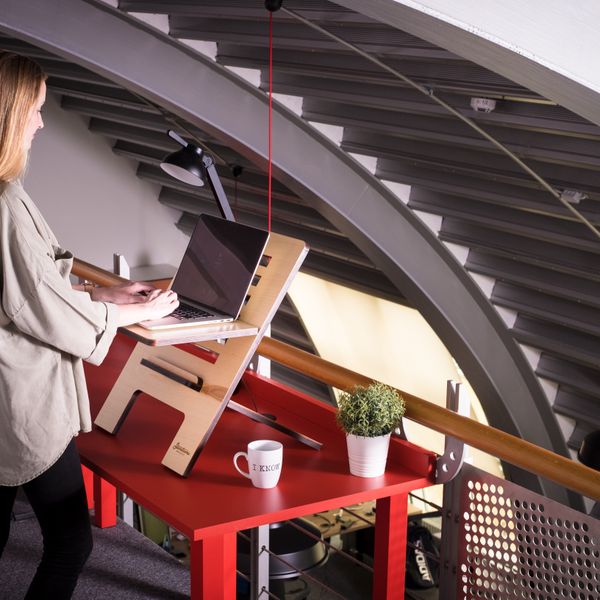
Rise Standing Desk Converter
Sit-stand, two-tier
Making it stick with micro-resets
A daily 20-minute block does the heavy lifting, but posture is really decided in the hours between. The trick is to lower the effort until a reset costs you nothing. Set a timer for every 30 to 45 minutes; when it goes, stand, do five chin tucks and one big overhead reach, change your sitting or standing state, and get back to work. Thirty seconds, no floor, no equipment. Anchor these micro-resets to things you already do: stand for every phone call, refill your water rather than keeping a full bottle at the desk, and take the long route to the printer or kitchen. If you use a sit-stand setup, let its memory presets or a simple sticky note remind you to flip position a couple of times a morning. The people who stay comfortable at a desk are rarely the ones with flawless posture; they are the ones who never hold any posture long enough for it to hurt.
FAQ
How often should I do the full 20-minute routine?
Once a day is a realistic, effective target, and lunchtime or the end of the workday are the easiest slots to protect. If a full 20 minutes is not possible, splitting it into two 10-minute blocks morning and afternoon works just as well. Consistency matters far more than duration, so a short routine you actually do every day beats a long one you skip.
Will this fix my back or neck pain?
This is general movement and setup guidance, not medical treatment. Many people find that regular movement, a better-adjusted screen and chair, and switching positions through the day noticeably ease the everyday stiffness that comes from sitting. But it is not a cure for a specific injury. If your pain is sharp, persistent, radiating down a limb, or comes with numbness or tingling, see a physiotherapist or doctor before continuing.
Do I need any equipment to start?
No. The mobility and strength moves need nothing but a bit of floor and wall space, and the setup fixes are mostly adjustments to gear you already own. Equipment simply removes friction: a cushioned mat makes floor work more likely, an adjustable chair or monitor arm makes the setup reset precise and repeatable, and a sit-stand desk lets you keep changing position afterward. Start with the routine; add the pieces that solve a problem you actually feel.
Is standing all day better than sitting all day?
No. Standing for hours brings its own issues, including foot, leg and lower-back fatigue. The evidence points to alternating: change between sitting and standing through the day, and keep moving in both. Think of standing as one more posture to rotate through, ideally on a cushioned mat, rather than a replacement for sitting.