The best monitor arms for dual and ultrawide screens
A good arm does one thing a stock stand can't: it puts a heavy dual or ultrawide setup exactly where your neck and eyes want it, then gets out of the way. Here's how to match one to your screens.
At a glance
| Product | Best for | Price | Warranty |
|---|---|---|---|
| Arc Single Monitor Arm | Gas-spring, full motion | € 79.95 | 2 years |
| Glide Gas-Spring Arm | Ultrawide-ready | € 89.95 | 2 years |
| Arc Dual Monitor Arm | Two screens, one clamp | € 129.95 | 2 years |
| Duo Dual-Monitor Riser | Wide shelf for two screens | € 74.95 | 2 years |
| Clip Cable Management Kit | Clips, sleeves & ties | € 14.95 | 2 years |
| Grommet Cable Organizer | Desk-edge cable guide | € 12.95 | 2 years |
Why an arm, not the stock stand
The stand that ships in the box is designed to survive shipping and hit a price, not to hold a screen at the height your spine actually needs. Most fixed stands sit the panel too low, so you drop your chin to read and hold it there for hours — the single most common cause of desk-related neck ache. They also eat 15 to 25 cm of desk depth, which is exactly the room you don't have once a second monitor or a 34-inch ultrawide is on the desk. An arm solves both at once. It clamps to the back edge, floats the screen forward or back on a gas spring, and frees the entire footprint underneath for a keyboard, notes, or just breathing space. For dual and ultrawide setups the difference is bigger still, because those are the panels most likely to be badly placed: two stock stands rarely match in height, and an ultrawide's factory stand is often a wide, shallow foot that wobbles the moment you lean on the desk. Getting the screen onto an arm is usually the highest-impact ergonomic change you can make for the money.
Match the arm to the panel: the three numbers that matter
Before anything else, check three figures against your monitor's spec sheet. First, the VESA pattern — the square of mounting holes on the back. Almost every desktop monitor uses 75×75 mm or 100×100 mm, and arms are built for both. A minority of ultrawides and large panels have no VESA holes at all, or an odd pattern, so read the manual rather than assume. Second, weight. A gas-spring arm holds a screen at any height because the spring is tuned to a weight range, not a single point. Mount a panel lighter than the range and the arm drifts upward on its own; mount one heavier and it slowly sags. Weigh the screen without its stand and stay inside the arm's rating with margin to spare. Third, screen size, which is really about leverage — a wide panel puts far more twisting force on the mount than its weight alone suggests. For a single mainstream monitor up to around 32 inches and 9 kg, the Arc Single Monitor Arm covers the common case cleanly with full tilt, swivel and rotate on a clamp or grommet mount. If your panel is larger or heavier — a big 32-inch, a weighty professional display, or a 34-inch ultrawide — step up to the Glide Gas-Spring Arm, which is rated to 34 inches and 12 kg and has the spring range to actually hold that mass still.

Arc Single Monitor Arm
Gas-spring, full motion

Glide Gas-Spring Arm
Ultrawide-ready
Dual-screen setups: arrange first, then mount
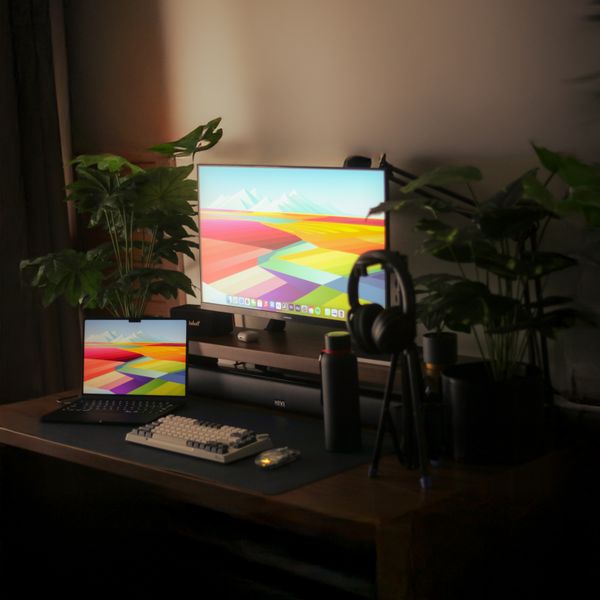
Decide how you use two screens before you buy hardware, because it changes the layout. If one monitor does most of the work and the second is for chat, reference or email, put the primary one squarely in front of you and angle the secondary in from the side like an open book — you turn your head to it occasionally rather than living with your neck twisted. If you split attention roughly evenly between both, centre the seam where the two bezels meet on your nose and toe both screens inward so each faces you. Either way, both panels should hit the same height, with the top edge at or just below eye level. That is precisely what two mismatched factory stands can't do. The Arc Dual Monitor Arm carries two screens up to 27 inches on independent gas-spring arms from a single desk clamp, so you set each one's height, tilt and depth separately but only give up one patch of desk edge. If your two monitors are heavier or larger than a dual arm's per-screen rating, a solid platform is the honest alternative: the Duo Dual-Monitor Riser is a bamboo-and-steel top rated to 30 kg with room to slide both keyboards underneath — less adjustable than an arm, but rock-steady and simple.
Arc Dual Monitor Arm
Two screens, one clamp
Duo Dual-Monitor Riser
Wide shelf for two screens
Ultrawide screens: reach, weight and the curve
An ultrawide behaves differently from a standard monitor on an arm, and it's worth understanding why before you mount one. It is wider, so it needs more reach to sit at a comfortable arm's-length distance — roughly 50 to 70 cm from your eyes — without the edges creeping into your peripheral vision. It is usually heavier, often 6 to 9 kg for a 34-inch panel, so headroom in the arm's weight rating matters more. And because the mass sits far out to the sides of the mounting plate, it loads the arm and the desk clamp with real twisting force whenever you nudge it. The curve actually simplifies one thing: a curved ultrawide is meant to be viewed dead-centre, so you'll swivel and rotate it far less than a flat screen and lean on height and depth adjustment instead. Choose an arm with a wide sweep and a spring tuned for the weight. The Glide Gas-Spring Arm is built for exactly this — 34 inches and 12 kg — and its gas spring lets you pull the panel forward or push it back with one hand rather than fighting a stiff joint. One caution: a heavy ultrawide asks a lot of the desk itself, so confirm your desktop can take the clamp load before you commit (more on that next).
Mount it right: desk, clamp and cables
An arm is only as steady as what it grips. Two mount styles cover most desks: a C-clamp that grips the back edge, and a grommet mount that drops a bolt through a hole in the desktop. Clamps are quicker and leave no mark; grommet mounts are the stronger choice for a heavy ultrawide or where you have no accessible rear edge. Both the Arc and Glide arms include clamp and grommet hardware in the box. Check three things about your desk. Edge thickness: clamps have a jaw range, typically a few centimetres, so a very thick or very thin top may not fit. Overhang: you need clear space behind and under the edge for the clamp jaw, which a wall-hugging desk or a rear crossbar can block. And material: a heavy panel on an arm concentrates a lot of force on one spot, so thin, hollow-core or glass desks can flex or crack — for those, favour a grommet mount or a genuinely solid top. Finally, an arm only looks clean if the cables follow it. Route each screen's cable along the arm's channels, then tidy the run down to the tower with the Clip Cable Management Kit, and keep loose desk-edge cables from sliding off with the weighted Grommet Cable Organizer.
Clip Cable Management Kit
Clips, sleeves & ties

Grommet Cable Organizer
Desk-edge cable guide
Dial in the ergonomics once it's up
Mounting the arm is the hardware half; the setup half takes two minutes and is where the neck and eye benefit actually comes from. Sit back in your chair as you normally work, close your eyes, then open them looking straight ahead — that natural gaze line should land on the top third of the screen. Set the panel so its top edge sits at or just below eye level; if you wear progressive or bifocal lenses, go a little lower still, since you'll be reading through the lower part of the lens and don't want to tip your head back to do it. Distance is roughly an arm's length: reach out and your fingertips should about touch the screen. Push a larger or ultrawide panel slightly further back so you can take in the whole width without swinging your head side to side. Tilt the top edge a few degrees away from you so the screen faces your eyes squarely and cuts reflections from overhead light. Then use the thing you paid for: an arm is meant to move, so pull the screen closer for detailed work, push it back and stand for a call, and change position through the day rather than freezing in one pose. If neck, shoulder or eye pain persists despite a well-set-up desk, this is general guidance rather than medical advice — see a professional.
FAQ
Will an arm fit my ultrawide monitor?
Check two things on the spec sheet. First, the VESA pattern on the back — 75×75 or 100×100 mm both fit standard arms. A few ultrawides have no VESA holes or an unusual pattern, so read the manual rather than assume. Second, the weight without the stand: a 34-inch ultrawide is often 6 to 9 kg, so you want an arm rated above that. The Glide Gas-Spring Arm covers up to 34 inches and 12 kg.
Can I put a heavy screen on a glass or thin desk?
Be careful. A monitor on an arm concentrates a lot of force on one small spot on the desk edge, and glass, thin, or hollow-core tops can flex or crack under it. If your desk isn't genuinely solid, use a grommet mount through a drilled hole rather than an edge clamp, which spreads the load better, or choose a steady riser like the Duo Dual-Monitor Riser instead of an arm.
One dual arm or two single arms for a two-screen setup?
A single dual arm, like the Arc Dual Monitor Arm, mounts both screens from one desk clamp — tidier and it uses only one patch of desk edge, ideal for two monitors up to 27 inches. Two separate single arms make sense when your monitors are large, heavy, or when you want them far apart or on different desk edges. For matched mainstream screens, the dual arm is the simpler choice.
What height should the monitor sit at?
Set the top edge of the screen at or just below eye level when you're sitting back naturally, so your gaze falls on the top third without dropping your chin. Keep it about an arm's length away. If you wear progressive or bifocal glasses, position it a little lower so you read through the bottom of the lens without tilting your head back. An arm lets you fine-tune all of this in seconds.